Set Up Your Agency Profile & ACORD Headers
1. Enter Your Agency Contact Details
Before issuing certificates, verify that your brokerage contact details match your agency license and carrier appointments.
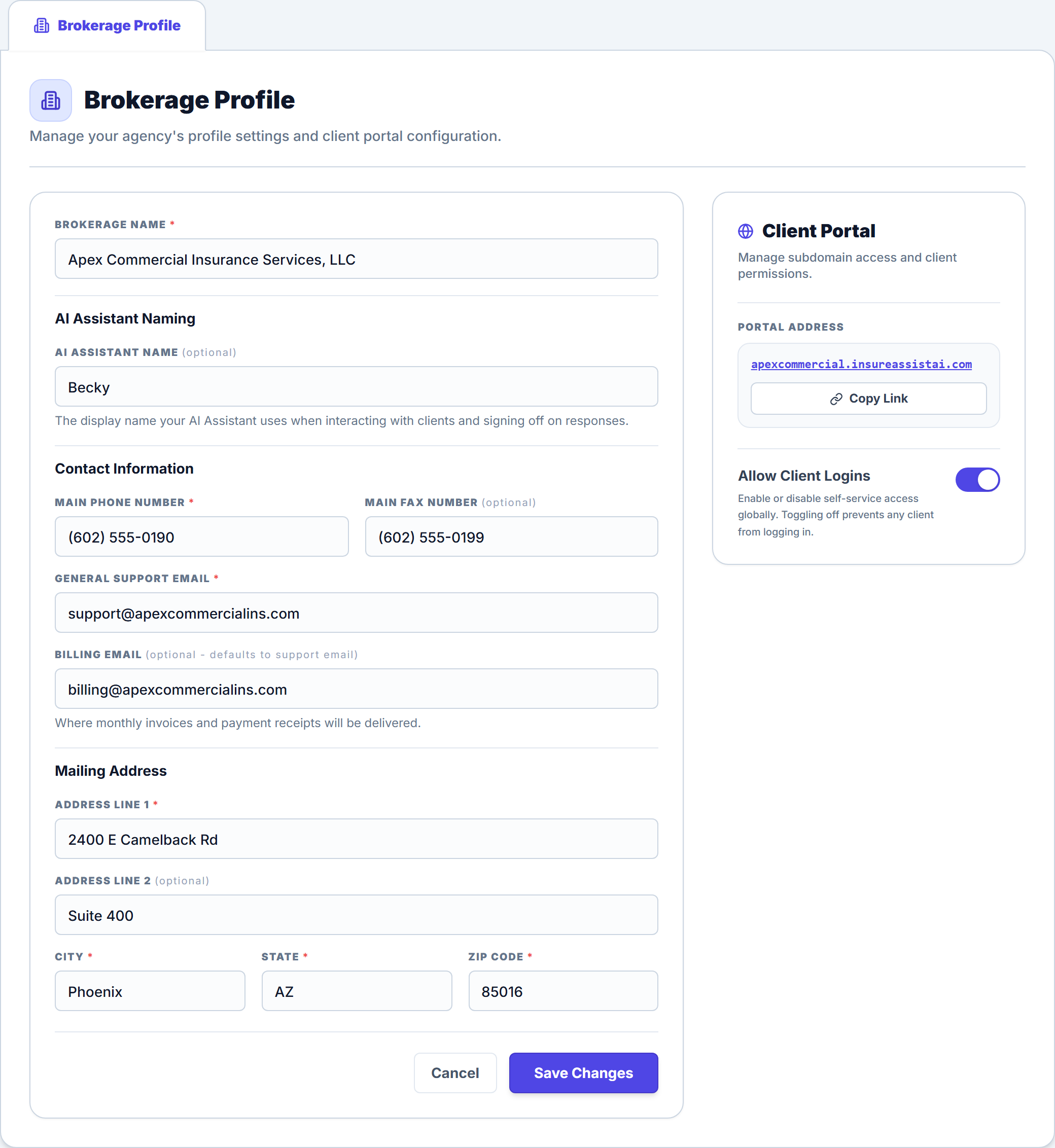
- Click Settings in the dark left navigation sidebar.
- Select the Brokerage Profile tab at the top of the settings workspace.
- Enter your Brokerage Name, optional AI Assistant Name (defaults to Becky), Main Phone Number, and Main Fax Number (optional).
- Enter a monitored General Support Email (for example,
support@apexcommercialins.com) and optional Billing Email, then complete your Mailing Address (Address Line 1, Address Line 2, City, State, and Zip Code). - Click Save Changes in the bottom-right corner of the card.
2. How Your Profile Maps to ACORD Certificates
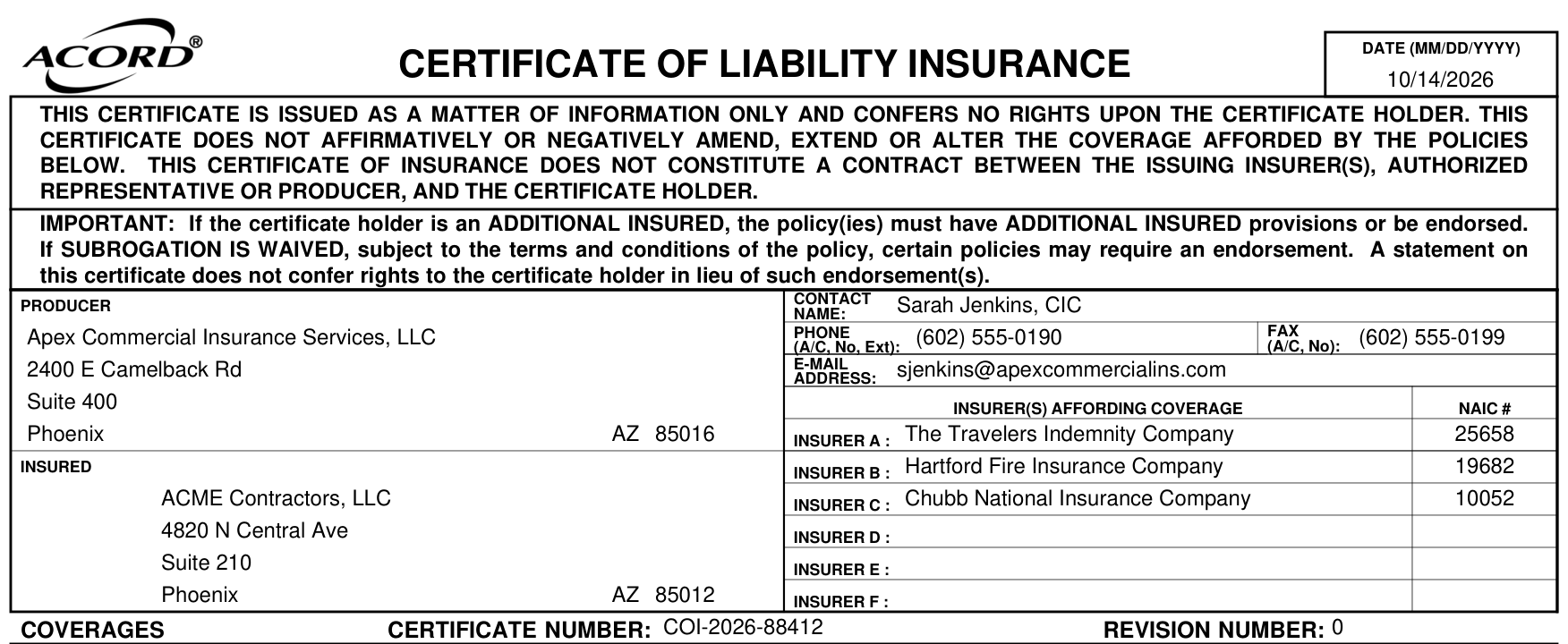
Every ACORD 25 (Certificate of Liability Insurance) and ACORD 28 (Evidence of Commercial Property Insurance) generated in the portal pulls its top-left Producer block directly from two places:
| ACORD Producer Field | Source in Insure Assist AI |
|---|---|
| Producer Name & Mailing Address | Settings → Brokerage Profile |
| Contact Name, Phone & Email | Assigned Agent on the Client Account (configure producer access in Team Management & Roles) |
| Authorized Representative Signature | Assigned Agent’s saved signature in My Profile → My Signature |
3. Manage Your Client Portal Address & Login Access
In the right-hand Client Portal card on the Brokerage Profile tab, you can copy your agency’s dedicated Portal Address using the Copy Link button and control the global Allow Client Logins switch. When you invite commercial clients like ACME Contractors, LLC to self-serve certificates 24/7, their magic links and mobile app display your agency name and contact information.
Frequently Asked Questions
Related Guides in Getting Started & Agency Setup
Was this article helpful?
Let our team know if you found what you needed.
Automate Your Commercial Agency Operations
Put Becky to work for your agency to review policies, audit coverage gaps, and issue verified ACORD certificates in seconds.