smartphoneClient Portal, Security & Billing
Invite Clients to the Self-Service Portal & Mobile App
Updated October 2026•3 min read•For: Producers, Assistants & Policyholders
verifiedQuick Summary
Click "Invite to Portal" on any client workspace to send a passwordless Magic Link invitation. Your insureds can view active policies, download Master COIs, and issue compliant certificates to general contractors 24/7 from their computer or mobile phone.
In this article
1. Send a Client Portal Invitation
- Open your client workspace (for example, ACME Contractors, LLC) and select the Client Setup tab.
- Verify the client’s Primary Email, enable the 24/7 Self-Service Portal Access switch, and click Send Portal Invite (or click Invite to Portal in the client header).
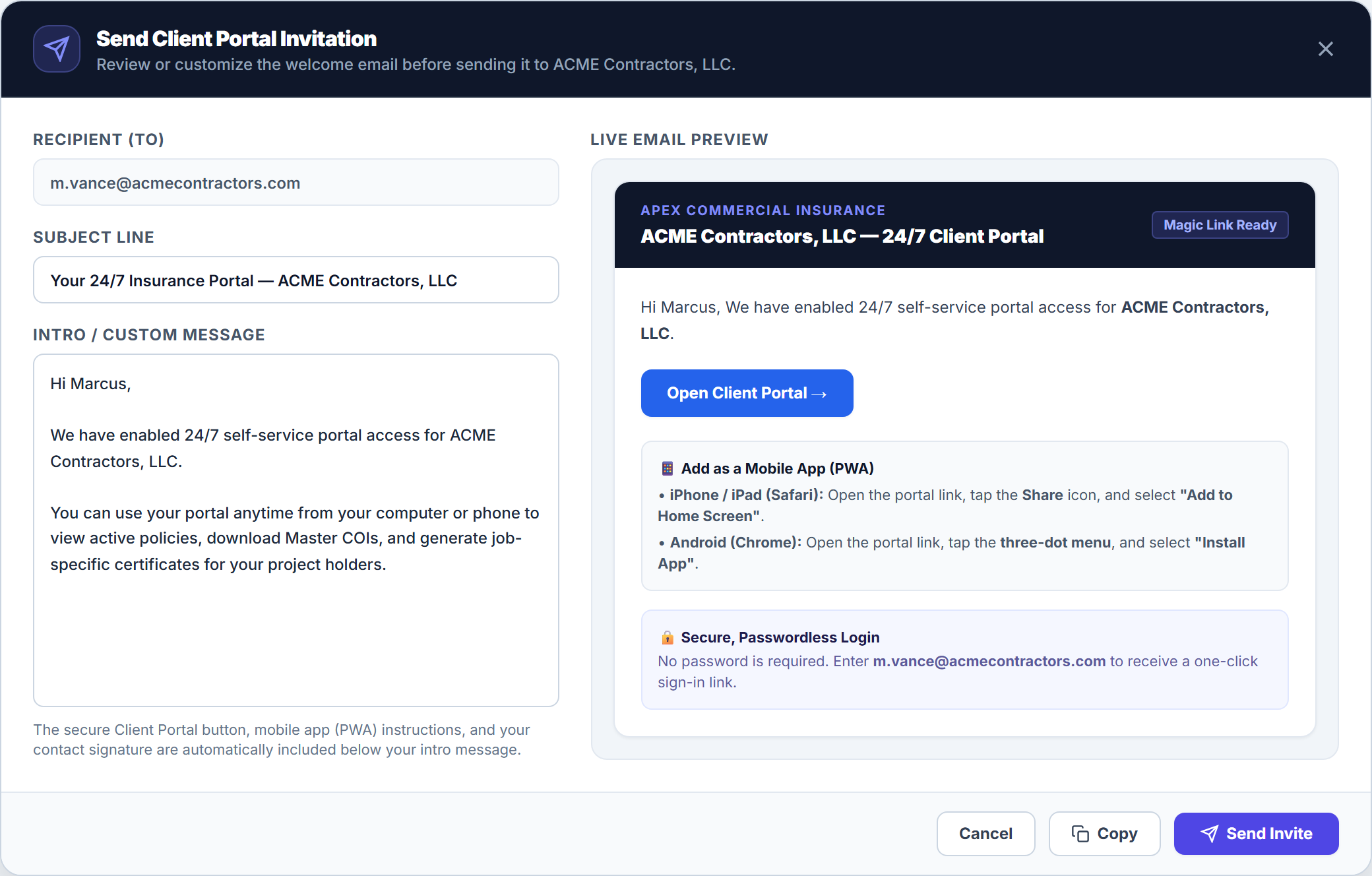
- In the Send Client Portal Invitation modal, review the Recipient (To), Subject Line, and Intro / Custom Message on the left while inspecting the Live Email Preview on the right.
- Click Send Invite (or Copy to paste into your own email thread).
2. What Policyholders Can Do 24/7 (vs. What Routes to Broker Review)
| Client Portal Action | How It Is Handled |
|---|---|
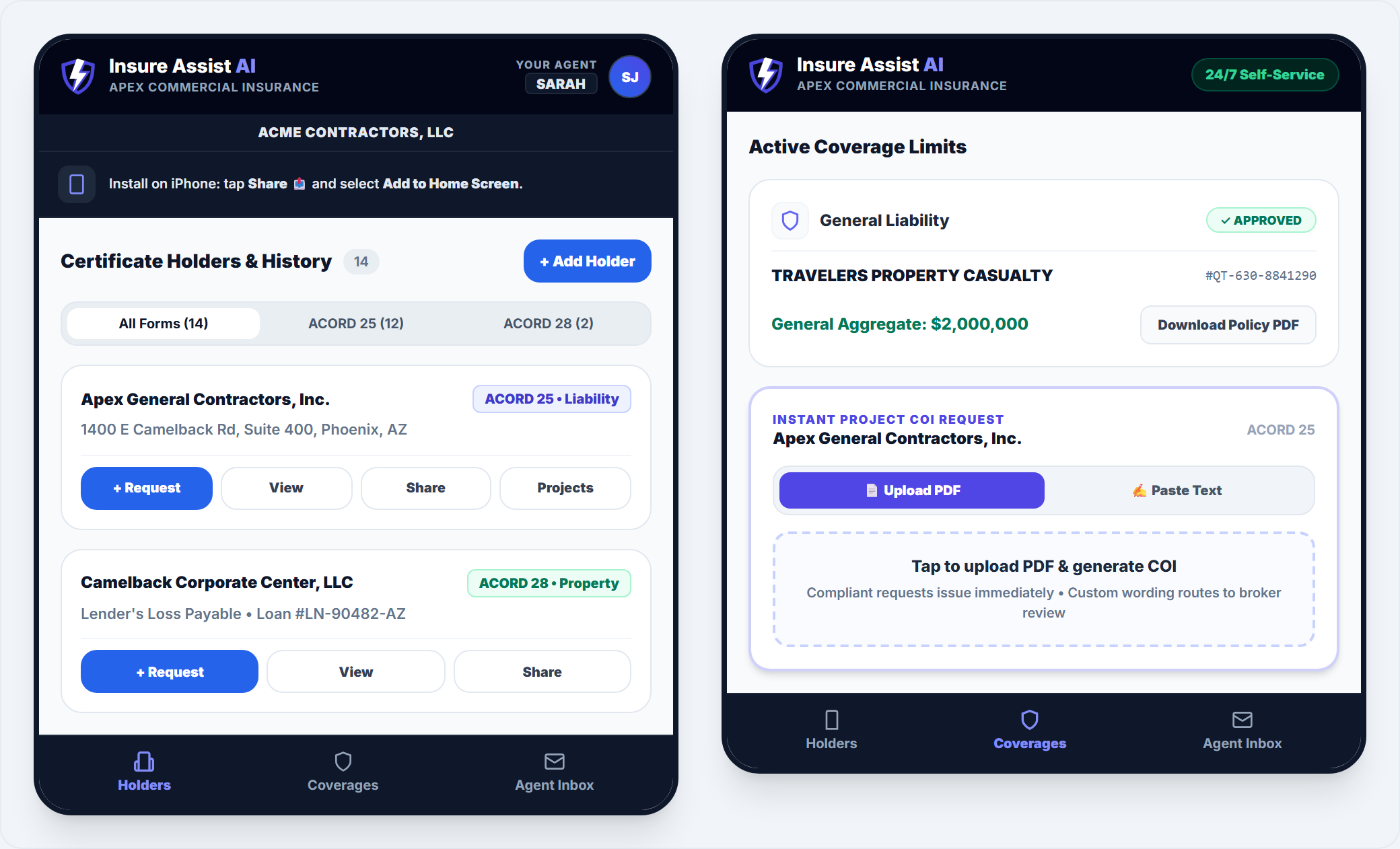
| View, Share or Download Master COIs & Policy PDFs | Instant 24/7 access via the Holders and Coverages tabs on web or mobile |
| Tap “+ Request” (or “Request COI”) with Compliant Requirements | Clients upload a contract PDF (📄 Upload PDF) or paste instructions (✍️ Paste Text) for instant compliance verification |
| Request Custom Wording or Higher Contract Limits | Automatically held as Pending Broker Review and notifies the assigned producer |
3. Install the Mobile App on iPhone & Android
Contractors in the field can add the Client Self-Service Portal directly to their phone’s home screen without visiting an app store, complete with bottom-bar navigation (Holders, Coverages, and Agent Inbox):
- iPhone / iPad (Safari): Open the portal link, tap the Share 📤 icon at the bottom of Safari, and select Add to Home Screen.
- Android (Chrome): Open the portal link and tap Install App on the top setup banner (or tap the three-dot menu
⋮→ Install app / Add to Home screen).
Frequently Asked Questions
No. Policyholders sign in using a secure, passwordless Magic Link sent to their verified email address.
Related Guides in Client Portal, Security & Billing
Was this article helpful?
Let our team know if you found what you needed.
arrow_backPrevious Article
Use Becky CoPilot for Voice, Policy Lookups & Guided Help
Next Articlearrow_forward
Understand Data Security, Privacy & Activity Logs
Automate Your Commercial Agency Operations
Put Becky to work for your agency to review policies, audit coverage gaps, and issue verified ACORD certificates in seconds.