Manage Subscription Plans, Credits & Invoices
1. How Unified Credits Work
Each subscription tier includes a monthly allowance of Unified Credits shared across all producers and assistants in your brokerage:
| Workspace Action | Credit Usage |
|---|---|
| Policy Uploads, OCR & Endorsement Slicing | Included (0 Credits) |
| Re-Downloading an Existing Master or Holder COI | Included (0 Credits) |
| Issuing a New Holder or Project Certificate | 1 Unified Credit |
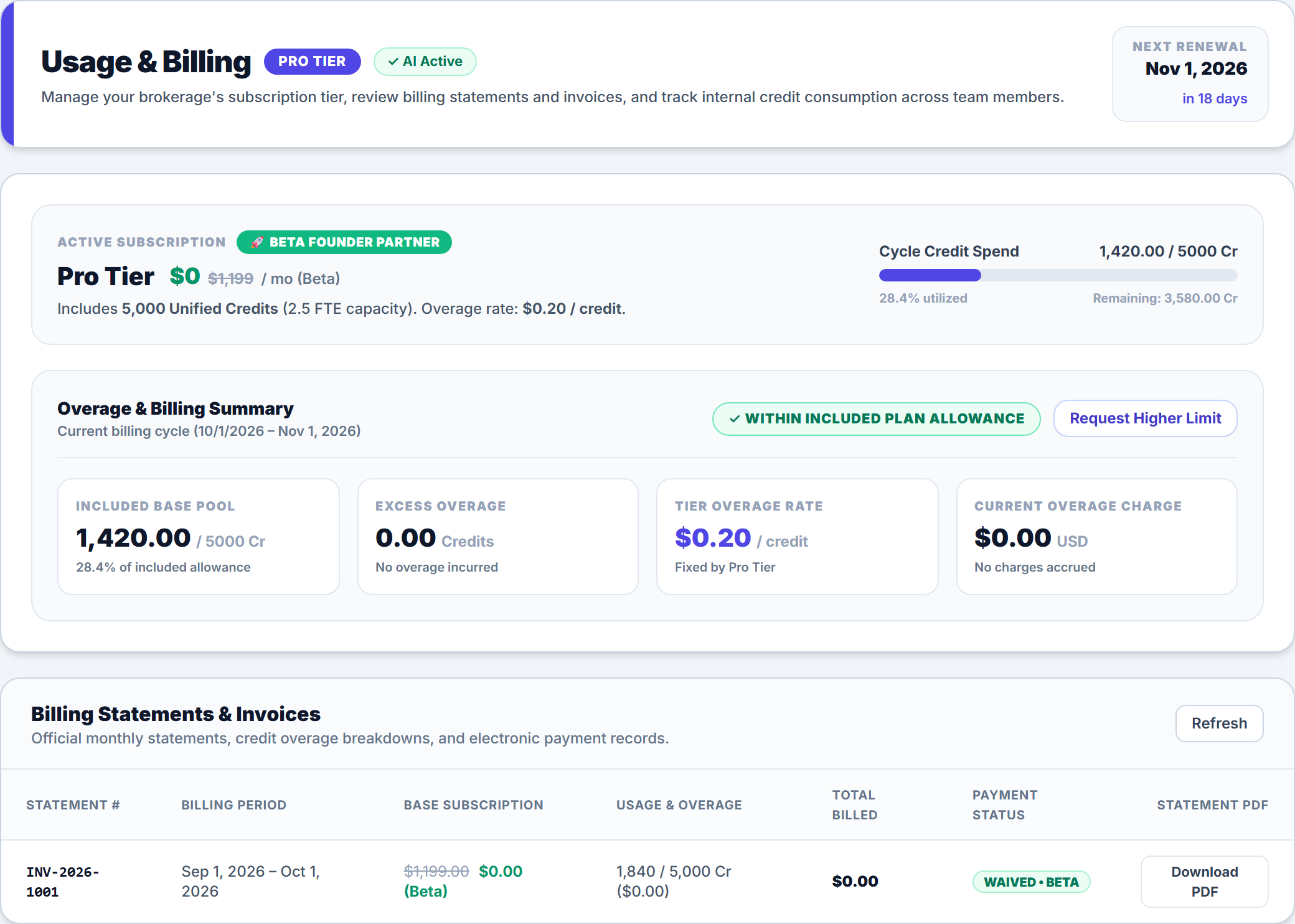
2. Monitor Overage & Request Higher Limits
In the Overage & Billing Summary card on the Usage & Billing page, you can monitor your real-time Included Base Pool, Excess Overage, Tier Overage Rate, and Current Overage Charge. Need additional monthly capacity during peak renewal season? Click Request Higher Limit or upgrade your subscription tier in the Scale Your Agency's Back-Office plan grid below.
3. Review Billing Statements & Download Invoice PDFs
Scroll to the Billing Statements & Invoices card on the Usage & Billing page to inspect closed monthly billing periods, base subscription fees, credit usage breakdowns, and payment statuses—and click Download PDF on any statement row for your accounting records.
Frequently Asked Questions
Related Guides in Client Portal, Security & Billing
Was this article helpful?
Let our team know if you found what you needed.
Automate Your Commercial Agency Operations
Put Becky to work for your agency to review policies, audit coverage gaps, and issue verified ACORD certificates in seconds.