Understand Data Security, Privacy & Activity Logs
1. Agency Data Isolation & Cloud Encryption
Insure Assist AI is built on Google Cloud Platform with strict multi-layered safeguards for independent insurance brokerages:
- Strict Tenant Isolation: Every database query and cloud storage path is scoped to your authenticated brokerage ID so agency books of business remain strictly separated.
- Encryption in Transit & at Rest: All policy PDFs, ACORD certificates, and signatures are encrypted via TLS 1.3 in transit and AES-256 at rest.
- Authenticated Document Access: Policy and certificate PDFs are streamed over authenticated sessions: never exposed on public URLs.
2. Zero Public AI Model Training Guarantee
Your carrier packets, insured schedules, and certificate holder directories remain 100% your agency’s property. Document processing runs exclusively on enterprise Google Cloud Vertex AI infrastructure under strict zero-training agreements.
3. Review System-Wide Audit Logs & Event Ledgers
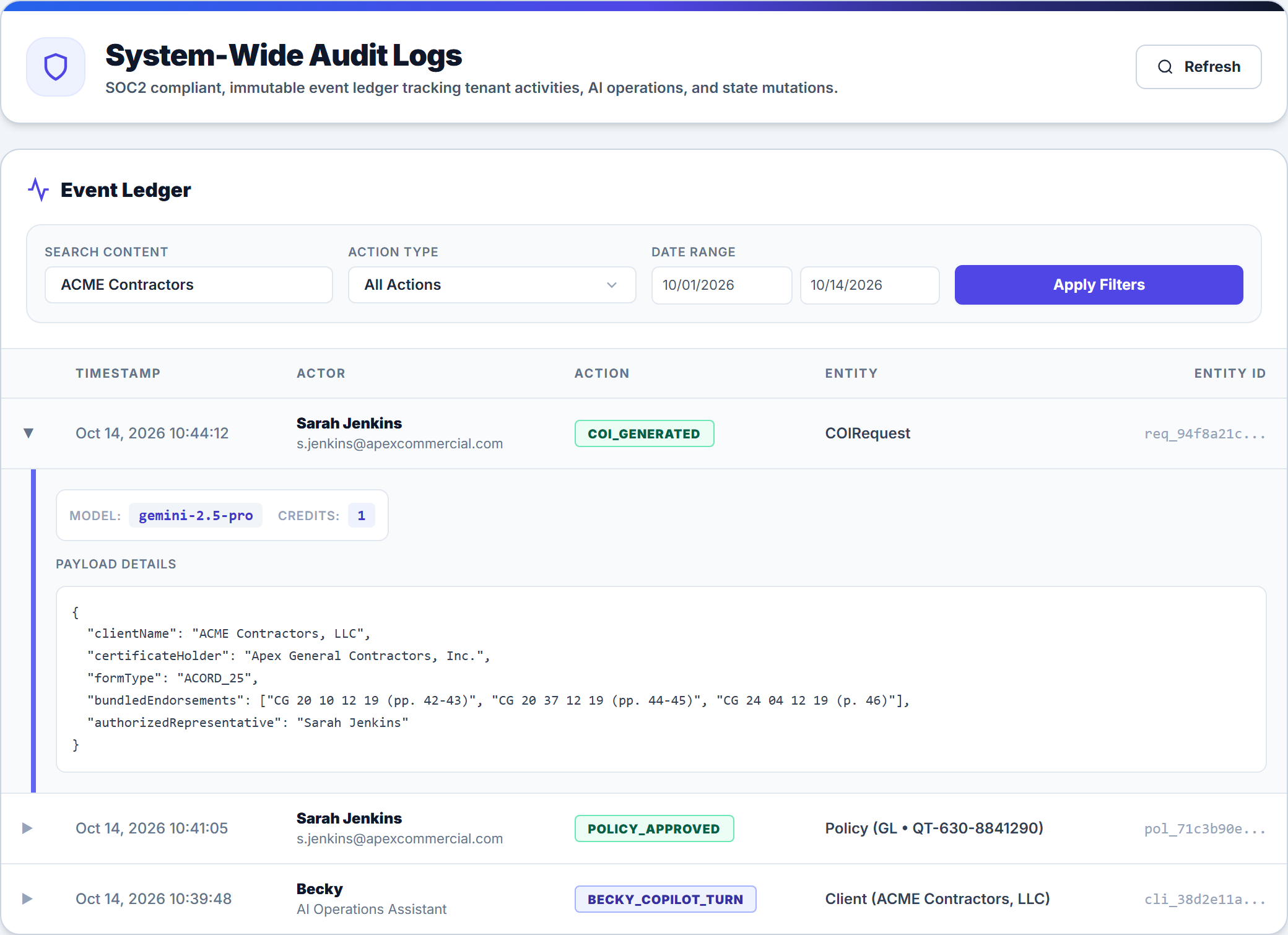
Every consequential action in your workspace—from approving a policy for ACME Contractors, LLC to running a Becky CoPilot lookup or generating an ACORD certificate for Apex General Contractors, Inc.—is recorded in a chronological, immutable event ledger:
- Open Audit Logs (under Settings) to view the System-Wide Audit Logs console (or open the Activity tab inside any client workspace).
- Filter the Event Ledger by Search Content, Action Type (such as
POLICY_APPROVED,COI_GENERATED,EMAIL_DISPATCHED, orBECKY_COPILOT_TURN), and Date Range, then click Apply Filters. - Click any row in the ledger to expand its Payload Details JSON, actor attribution, AI model metadata, and credit usage.
Frequently Asked Questions
Related Guides in Client Portal, Security & Billing
Was this article helpful?
Let our team know if you found what you needed.
Invite Clients to the Self-Service Portal & Mobile App
Manage Subscription Plans, Credits & Invoices
Automate Your Commercial Agency Operations
Put Becky to work for your agency to review policies, audit coverage gaps, and issue verified ACORD certificates in seconds.